When Luc and I wrote up the PROV Templates paper for IEEE TSE in 2018, the PROV-N figures were plain monospace text. To make the template variables stand out, I wrapped each of them in \color{red} by hand. The keywords never got any colour at all. I had written PROV-N highlighters back in 2014, a TextMate bundle and an online editor built on Ace, but neither could reach a LaTeX paper. With prov 3.3.0, now they can.
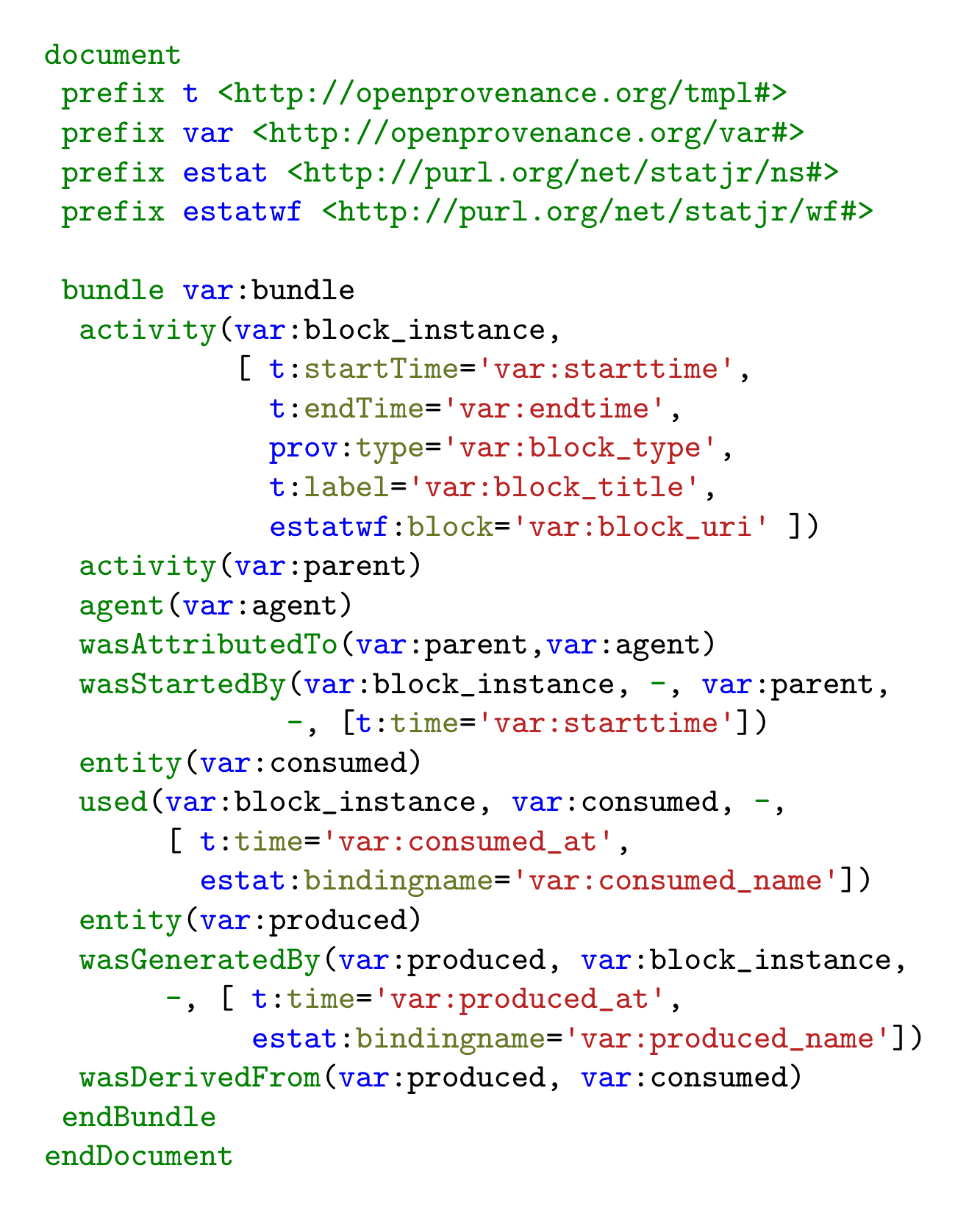
A lexer for PROV-N
Version 3.3.0 of the PROV Python package includes a lexer for PROV-N that plugs into Pygments. Pygments is the library behind code highlighting in Sphinx, MkDocs, Jupyter, LaTeX's minted package and many other tools. Once prov is installed, any of them that asks Pygments for provn gets PROV-N in colour, with keywords, prefixes, attribute names, strings, times and comments each in their own style.
In a LaTeX paper
The minted package highlights code in LaTeX through Pygments. It finds the PROV-N lexer through a latexminted installed with pip beside prov, not the one your TeX distribution ships, so install both in a virtual environment and compile with that environment active:
python -m pip install latexminted prov
Then put your PROV-N in a minted environment:
\usepackage{minted}  % in the preamble

\begin{minted}{provn}
document
  prefix ex <http://example.org/>
  entity(ex:dataset)
  activity(ex:compile)
  used(ex:compile, ex:dataset, -)
endDocument
\end{minted}
The figure above is the template from the TSE paper set this way, with nothing coloured by hand. The PROV-N how-to guide has the details.
Not on Overleaf yet
Overleaf cannot install Python packages, so it cannot load the lexer from prov. To fix that, I have proposed the lexer to Pygments itself. If Pygments accepts it, PROV-N highlighting reaches Overleaf with no setup at all, once minted and Overleaf move to a Pygments release that includes it. That will take a while, so for now a local LaTeX installation is the way to go.
Everywhere else
The same lexer highlights PROV-N wherever Pygments runs. Sphinx, MkDocs and Pelican highlight a provn code block, so on this site, which Pelican builds with prov installed, the block below needs nothing else:
document
  prefix ex <http://example.org/>
  agent(ex:derek, [prov:type='prov:Person', prov:label="Derek"])
  wasAssociatedWith(ex:compile, ex:derek, -)  // Derek ran the compilation
endDocument
In a terminal, pygmentize -l provn and prov-convert --color print PROV-N in colour, and one line of nbconvert configuration highlights a Jupyter notebook's %%provn cells when you export it.
The rest of 3.3.0
prov 3.3.0 needs Python 3.11 or later (after Python 3.10 EOL last month), and fixes a security issue in the PROV-O reader. If you are upgrading, Upgrading to prov 3.3.0 lists what may need changing. To get it, run pip install --upgrade prov.